The Variant Description block still appears even after deleting the metafield. What should I do?

Rupali
Last Update 3 maanden geleden
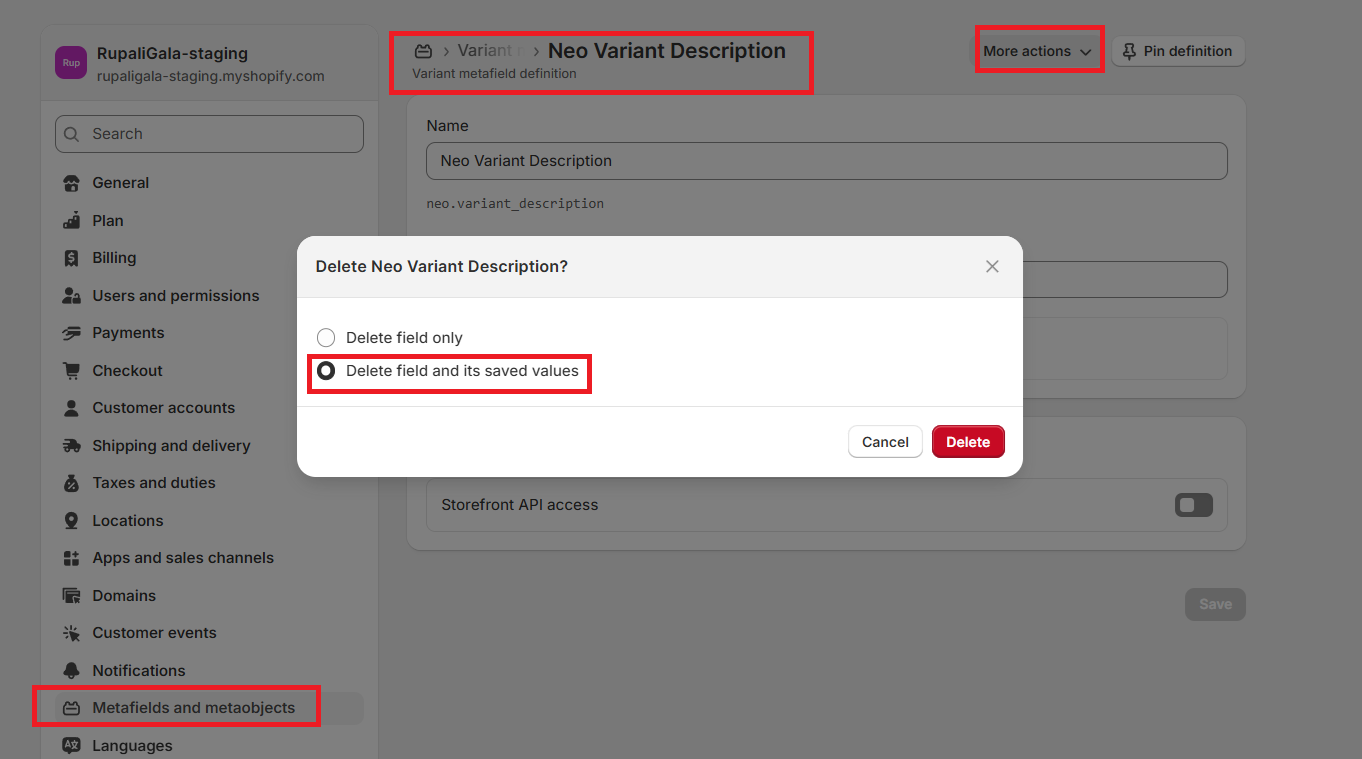
If the Variant Description block still appears after deleting the "neo.variant_description" metafield, it’s likely because the field’s saved values were not removed. You can fix this in either of the following ways:
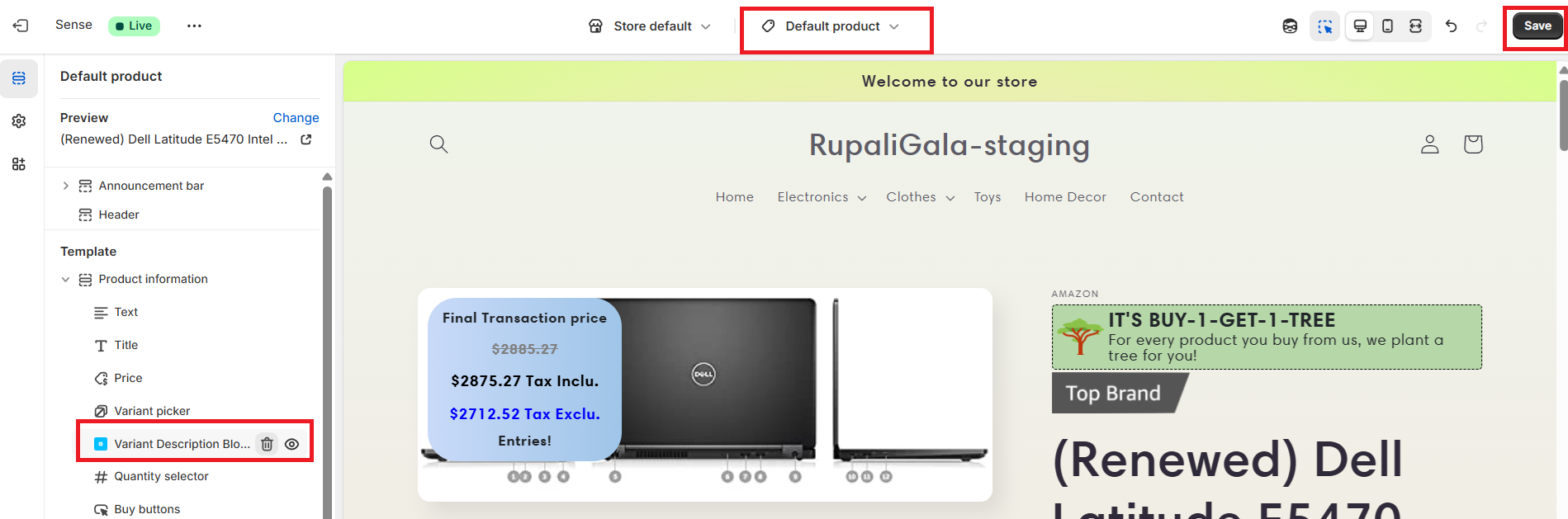
Option 1 – Remove the block from your theme
In Shopify Admin, go to Online Store > Themes > Customize.
Open the product page template where the Variant Description block is added.
Locate the block, remove it, and click Save.
Option 2 – Fully delete the metafield
- Recreate the Variant Description block in the app — this will restore the "neo.variant_description" metafield.
- Delete it again, making sure to choose "Delete field and its saved values" so it’s completely removed from your store.
You may find more info on deleting metafield here