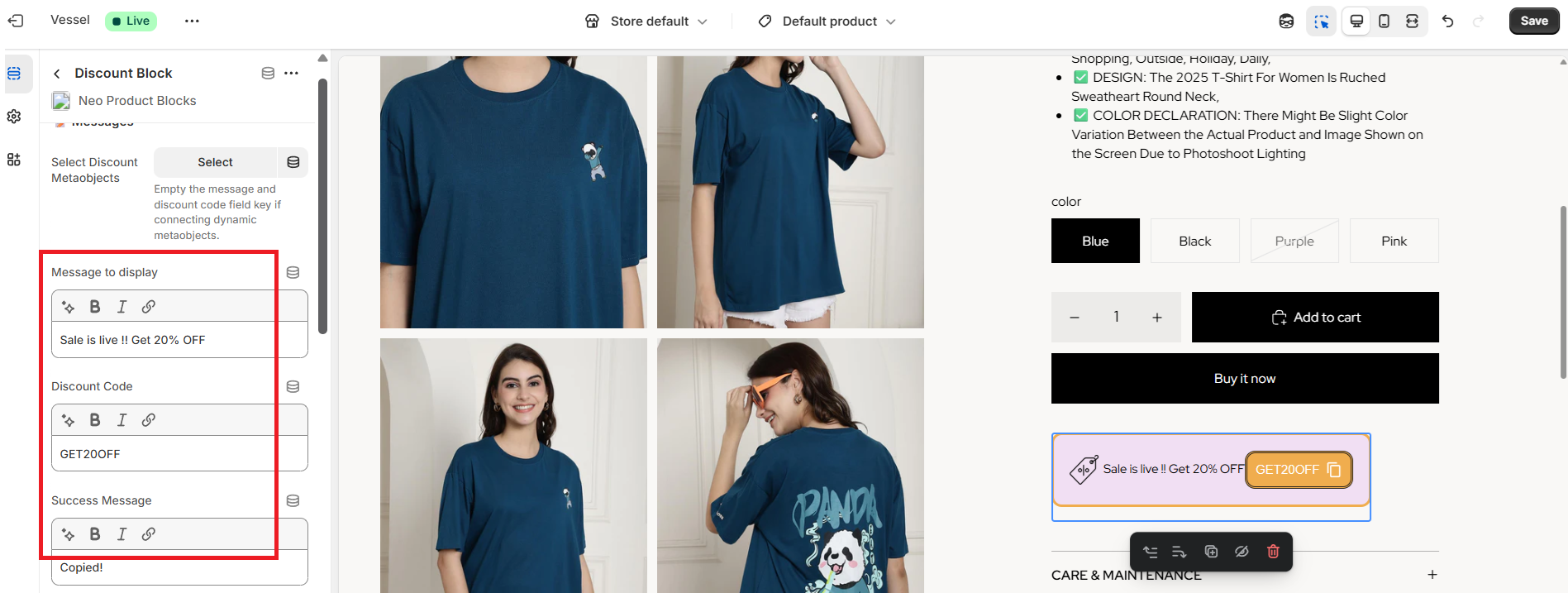
How to connect metaobjects for Product Discount Block ?

Rupali
Last Update 3 months ago
You can connect metaobjects in three ways:
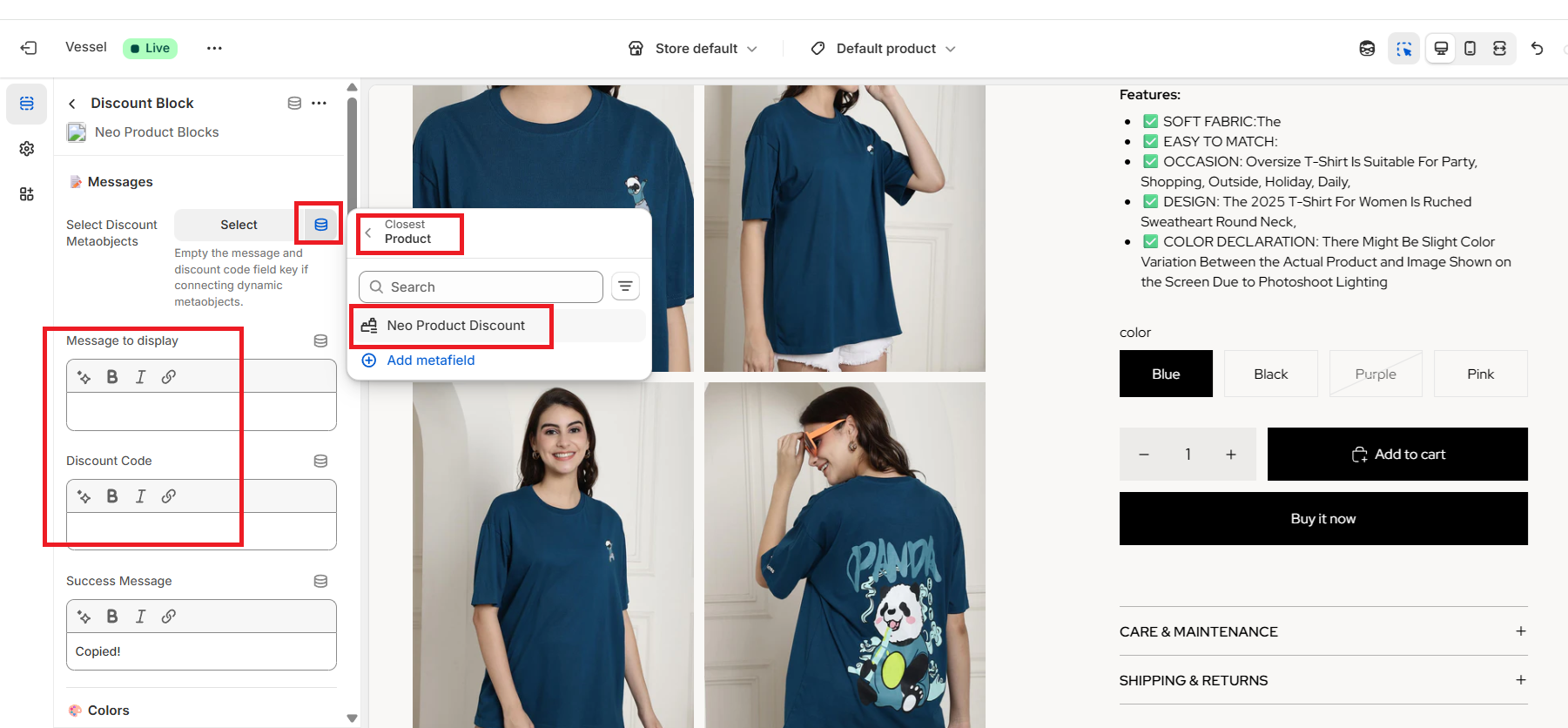
1. Dynamically in Bulk
1. Dynamically in Bulk
- Fetches all the data stored in the metaobjects.
- Displays entries automatically based on the product-level assignments.
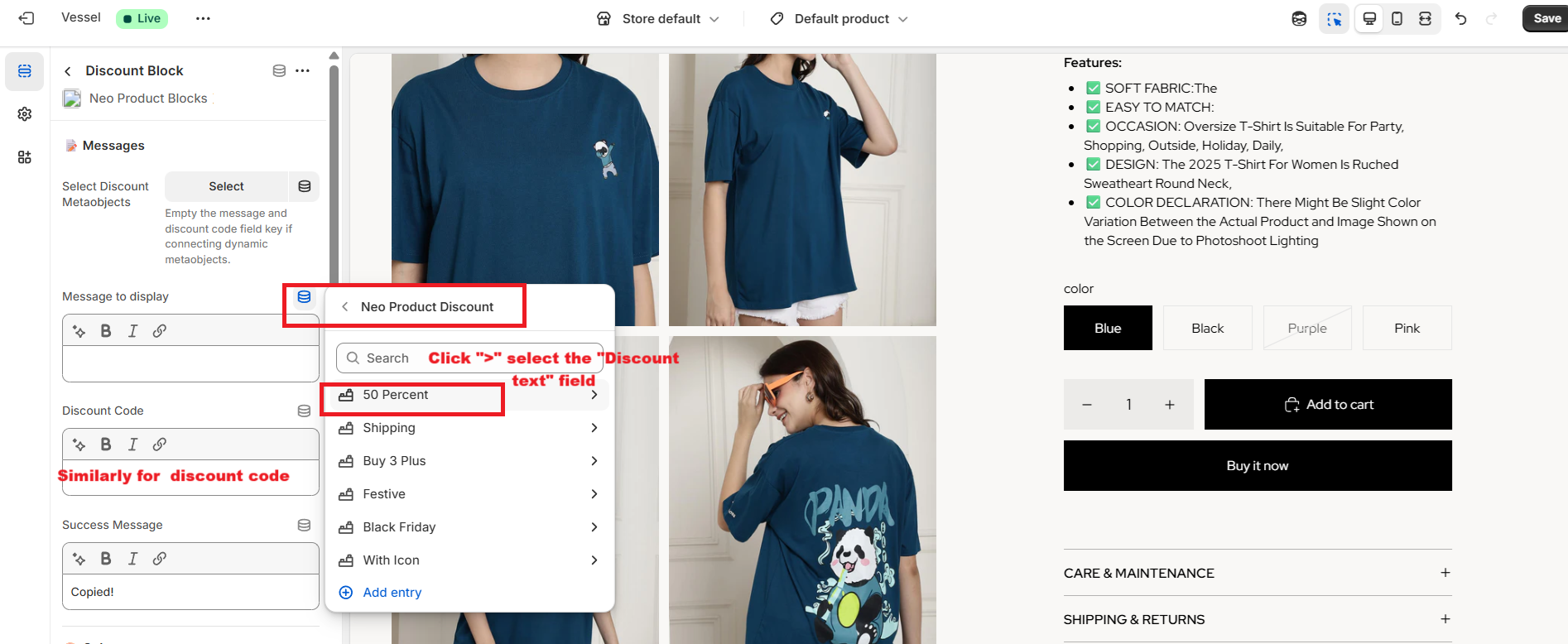
2. Dynamically One-by-One
- Let's you choose specific existing entries to display across all products in the store.
- Note: Each entry requires a separate block.
3. Static
- Allows you to manually add a Discount message and a Coupon code directly in editable fields.
- These coupons are commonly displayed for all products in the store.
- Note: Each coupon requires a separate block.