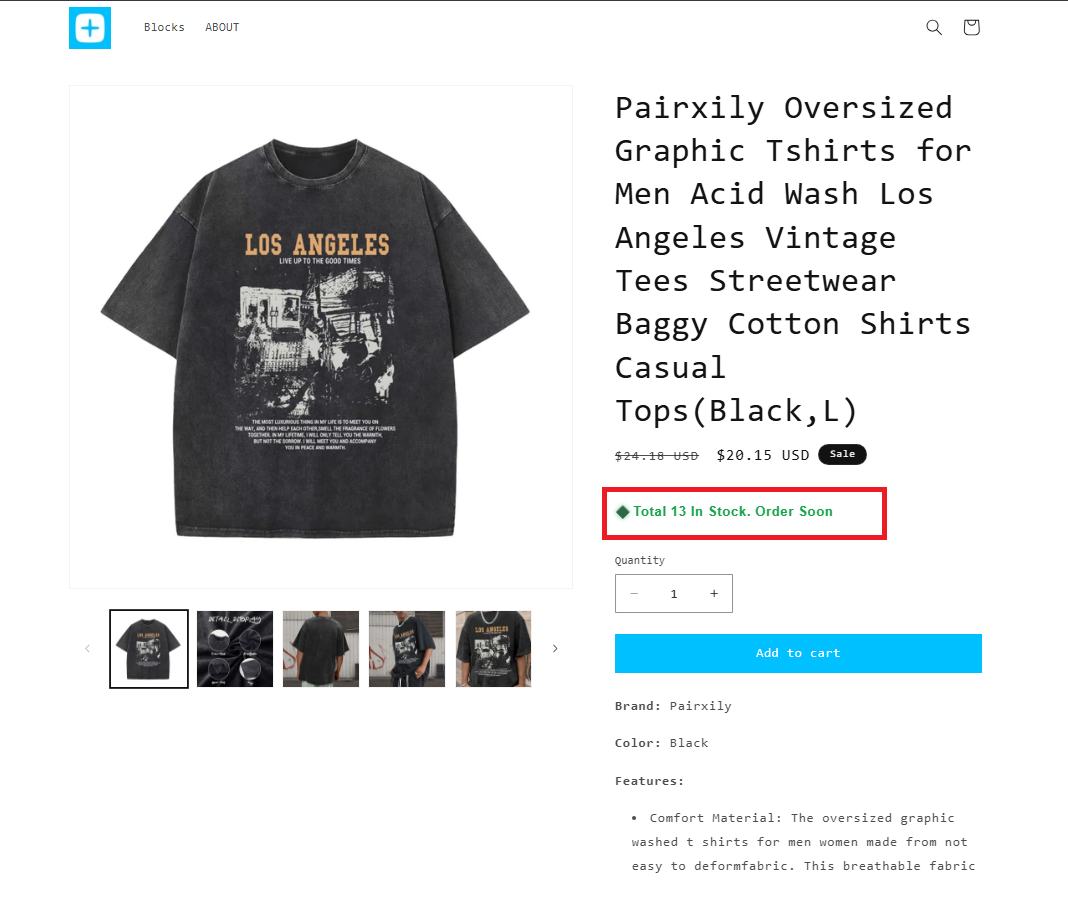
Variant Inventory Status Block

Rupali
Last Update 3 months ago
The Variant Inventory Status Block lets you display real-time stock status messages for each product variant based on predefined inventory thresholds. Instead of showing a generic message, you can automatically label variants as “Low Stock,” “Ready to Ship,” or “Out of Stock” depending on their available quantity.
This helps create urgency, sets the right expectations for customers, and improves the overall shopping experience by showing accurate, variant-specific inventory updates.
How does it work?
Go to Online Store → Customize
Open your Product template
Click “Add block” and select Neo – Variant Inventory Status
Position the block wherever you’d like it to appear on the product page.
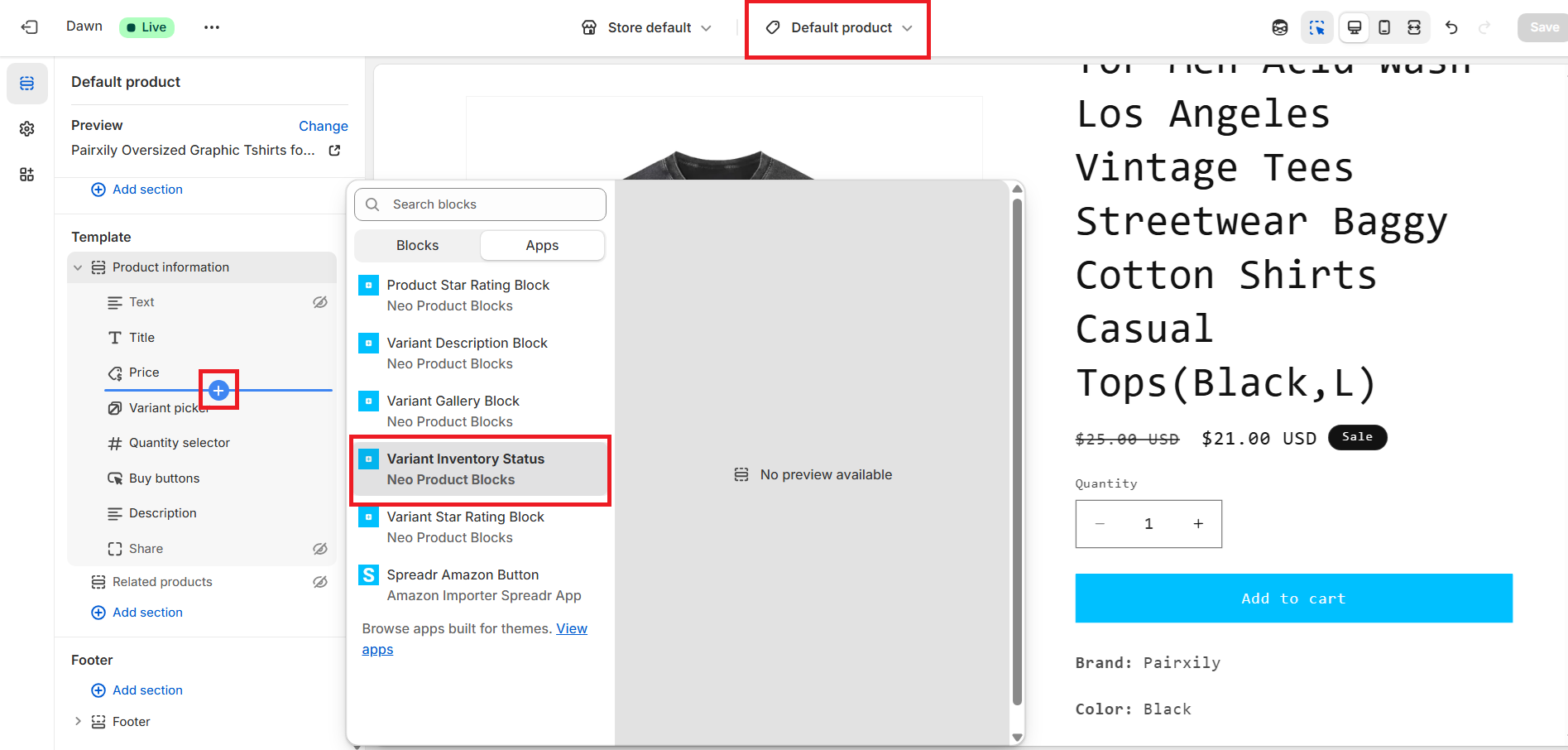
Inside the block settings panel, you can:
- Set threshold values to determine when to show:
- Low Stock
- In Stock
- Out of Stock
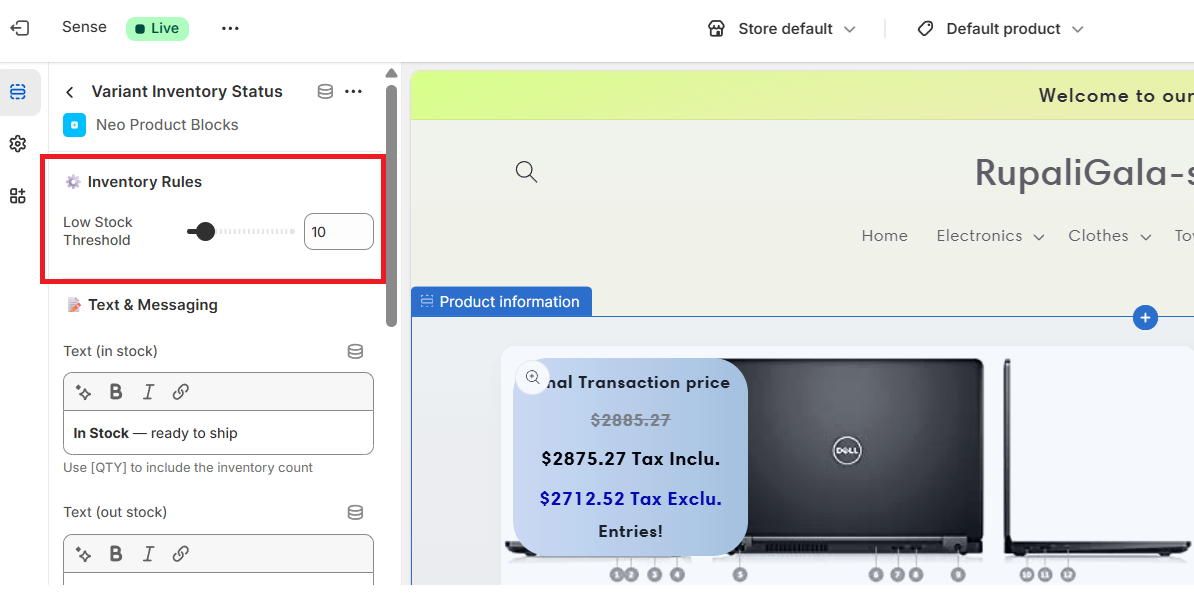
- Customize messaging for each status (e.g., “Out of Stock — check back soon”)
- Style the block by adjusting:
- Text color, font size
- Alignment
- Animations or highlight effect
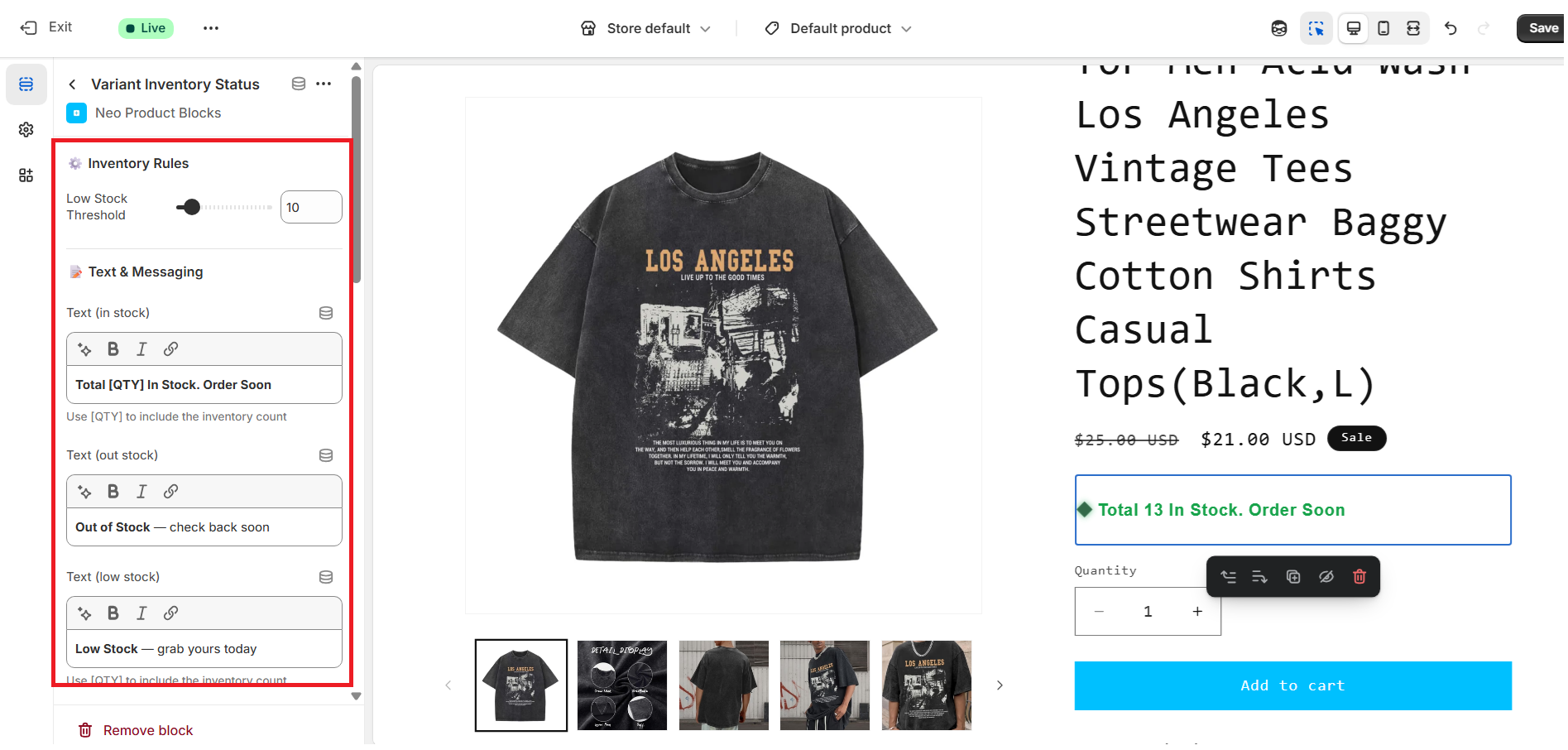
Step 3: Save & Publish
Once everything looks good:
- Click Save in the theme editor
- Your updated product pages will now display variant-specific inventory status automatically based on your configured thresholds.